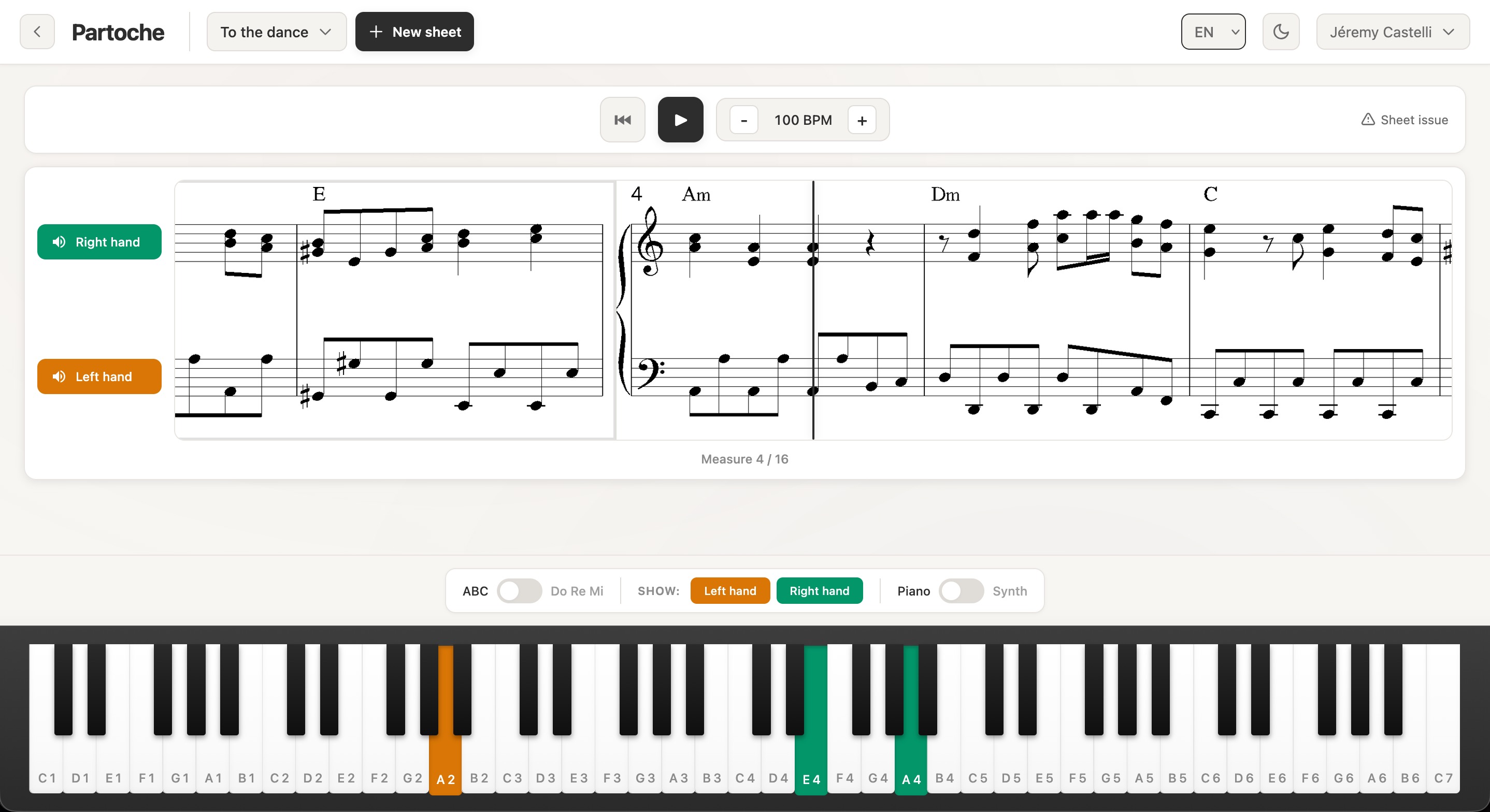
Import your PDF sheet music or digital files (MusicXML, MEI, ABC) and visualize the notes on an interactive virtual piano.
Practice each hand separately, adjust the tempo and progress at your own pace.
Simple and effective tools to transform the way you learn piano.
Smart import
Import your sheet music in PDF or digital format (MusicXML, MEI, ABC). Digital files are processed instantly, PDFs are analyzed by music recognition (OMR).
Interactive virtual piano
Visualize notes in real-time on a virtual piano. Keys light up in rhythm with the music to guide your learning.
Hand separation
Practice each hand separately. Enable or disable the left and right hand to focus on what matters.
Tempo control
Slow down or speed up the tempo according to your level. Start slowly then gradually increase the speed.
Per-track audio
Listen to each hand independently or together. Enable sound only on the tracks you want to hear and work on.
Notation choice
Switch between English notation (A, B, C) and Latin notation (Do, Re, Mi) according to your preferences.
How it works
Ready to play in 3 steps
From import to practice, everything is designed to be simple and intuitive.
1
sheet.pdf
Import your sheet music
Drag and drop your PDF, MusicXML, MEI or ABC file from your computer.
2
Analyzing...
Automatic analysis
Our AI analyzes the sheet music and extracts all notes, tempo and structure.
3
Play and progress
Start playback and follow the notes on the virtual piano. Let's go!
Ready to transform your learning?
Start for free today and discover a new way to learn piano.
Yes. Your files are stored on our servers in Switzerland, in compliance with GDPR. Only you and our team (to improve recognition) have access.
Partoche works with piano sheet music in good quality PDF format, as well as digital files (MusicXML, MEI, ABC) which give instant, perfect results. Sheet music with lyrics is supported. Handwritten scores are not recognized.
I created Partoche for my own piano learning. I'm sharing it for free for now.
The site is accessible on all devices, but a large enough screen (tablet or computer) is recommended to see the notes clearly.